Create the architecture
Agentic AI Design & Build Bootcamp
Create the architecture.
 Learn with Nachiketh MurthyFounder, Manifold AI Learning · Systems ship. Demos don’t.
Learn the concepts. Architect the system. Ship with understanding.
Create the architecture.
Build with AI.
Explain what shipped.
Learn the concepts behind Agentic AI, then turn them into five working applications. Decide where each component fits, integrate the right frameworks and services, and use Cursor or Claude Code to implement your design. Leave able to explain what you built, why it works and what changes when the requirements change.
AI coding tools you’ll practise with live guidance Claude Code
 Cursor
Claude CodeCursorLive, hands-on teachingFive working applicationsRecordings included
Learn with Nachiketh MurthyFounder, Manifold AI Learning · Systems ship. Demos don’t.
Integrate frameworks, data & tools
Five applications you can explain
The capability you buildUnderstand the system.
Understand the system.
Explain the decisions behind it.
Move from knowing AI terms to making architecture choices and showing how the connected application behaves.
- ✓Turn a use case into an architecture: identify the model, data, retrieval, tools, workflow, API and interface.
- ✓Explain when to use an LLM, RAG, a controlled workflow or a multi-agent crew — and when to keep the design simpler.
- ✓Build five applications with AI coding tools, then connect the frameworks, vector database and external APIs yourself through guided implementation.
- ✓Follow a request across components, investigate unexpected behaviour and validate the change you make.
- ✓Package and deploy an integrated application, explaining how its UI, API, data and services connect.
- ✓Adapt the architecture when the documents, rules, integrations, model or usage needs change — and defend the trade-offs.
Your AI-assisted build workflowBuild with Claude Code and Cursor.
Build with Claude Code and Cursor.
Understand the system behind the code.
Start with a design you understand. Learn how to turn it into a working application with an AI coding tool, live guidance and a clear way to inspect the result. Practise across five applications, then turn useful procedures into agent skills and repeatable workflows your team can reuse.
Claude Code
Work from your project and terminal. Give the agent a scoped implementation task, inspect the changes, run checks and investigate a failure with the surrounding code in context.
Cursor
Work inside your editor. Connect a design decision to the files it affects, review the implementation and iterate on the application while keeping its components and behaviour in view.
Use Cursor or Claude Code as your build environment. Apply the same design, build and review workflow in the tool you choose.
Set up your workspace
Open the project, connect the model API and understand the files, configuration and commands behind a runnable application.
Turn the diagram into tasks
Break the architecture into clear implementation steps, with the context, boundaries and expected behaviour the coding agent needs.
Connect real components
Bring together LangChain, Qdrant, LangGraph, CrewAI and external APIs where the application needs them.
Inspect, debug and test
Review generated changes, read errors, trace a request and check whether the application behaves as intended.
Ship a working application
Connect the interface and backend, package the integrated workspace and deploy it with Docker and Google Cloud Run.
Explain and adapt the design
Show what shipped, explain where each piece fits and change the right component when the requirements change.
Your outcome: five applications, architecture notes, a reusable agent skill and a team workflow you can adapt.
Explore the six-week journeyIndependent instruction by Manifold AI Learning. Claude Code and Cursor are tools used in the programme; their names and logos belong to their respective owners.
Your six-week architecture & build journeyLearn the concept.
Learn the concept.
See it work in an application.
The first five weeks introduce five applications, each with a different architecture decision. Week six connects the learning through evaluation, changing requirements and technical explanation.
Included bonus · optionalPython Programming
Explore and explain the Python code behind your applications. Use the bonus to understand functions, JSON, API calls and error handling at your own pace.
Week 1Concepts → architecture → first application
What belongs in the model, and what belongs in your application?
Concepts & architecture
Understand models, tokens, context, structured outputs and the difference between an AI feature, a workflow and an agent. Map inputs, components, interfaces and outputs. Compare a rules-based solution with an LLM-backed design. Set up Cursor or Claude Code and record the project context, conventions and expected behaviour for the build.
Application & integration
Create the architecture for the Decision & Triage Assistant, implement it with Cursor or Claude Code and connect a model API. Trace the request and explain each component's job.
Your evidence → Application 1: Decision & Triage Assistant, architecture diagram and a design decision log.
Explain it: Run the assistant, explain its request flow and show which decisions stay deterministic.
Week 2Knowledge architecture & RAG
What information should the model receive, and how should it reach the model?
Concepts & architecture
Learn embeddings, chunking, retrieval, vector search, context assembly and source grounding. Connect LangChain to Qdrant. Compare direct context, keyword lookup and retrieval; understand what changes when documents or retrieval quality change.
Application & integration
Build the RAG Knowledge Copilot over a sample document collection. Inspect retrieved evidence and compare two retrieval choices before changing the design.
Your evidence → Application 2: RAG Knowledge Copilot, retrieval-flow diagram and a comparison of context choices.
Explain it: Show the source behind an answer and explain what you would change when the right evidence is not retrieved.
Week 3Tools, integrations & controlled agents
Where should an agent decide, and where should a workflow take over?
Concepts & architecture
Learn tool contracts, HTTP integrations, state, routing, approval boundaries and failure handling. Use LangGraph for explicit workflow control. Place API calls and MCP-style interfaces in the architecture, and understand when a direct API is sufficient.
Application & integration
Build the Service Request Agent against a sample service API. Add a human approval step, trace a tool call and handle a failed integration.
Your evidence → Application 3: Service Request Agent, integration contract and a workflow-state diagram.
Explain it: Demonstrate a completed action and a failed call, then explain the boundary between model reasoning and application control.
Week 4Multi-agent architecture with CrewAI
When do several agents improve the solution?
Concepts & architecture
Learn roles, tasks, delegation, shared context and coordination. Use CrewAI for research, writing and review. Compare a crew with a single-agent workflow through output quality, latency, usage and the need for collaboration.
Application & integration
Build the Research Brief Studio with a search integration and a review step. Inspect its evidence and compare its behaviour with a simpler single-agent version.
Your evidence → Application 4: Research Brief Studio, collaboration diagram and a single-agent versus crew decision note.
Explain it: Explain why the crew is useful for this task and identify a case where you would simplify it.
Week 5Integrate the system & ship it
How do the pieces become an application someone else can use?
Concepts & architecture
Connect a FastAPI backend, Streamlit interface, retrieval and an action workflow. Understand configuration, secrets, logs and service boundaries. Package with Docker and deploy the integrated application to Google Cloud Run.
Application & integration
Build the Support Operations Workspace using components practised in earlier applications. Run the complete user flow, deploy it and document how its UI, API, model, data and tools connect.
Your evidence → Application 5: Support Operations Workspace, deployed application, system diagram and setup guide.
Explain it: Open the deployed application, complete a user task and trace it through the connected services.
Week 6Change the architecture. Explain what shipped.
What would you change when the requirements change?
Concepts & architecture
Evaluate behaviour across the five applications. Investigate failures and compare architectural alternatives. Explore changes to document volume, workflow rules, integrations, models and latency needs. Connect each change to the component it affects. Create a reusable agent skill with SKILL.md, distinguish task procedure from project guidance, and define repeatable team steps for implementation, acceptance checks, human review and handover.
Application & integration
Choose one application, adapt a requirement and defend the resulting design. Prepare demonstrations and architecture notes for all five applications, using AI Engineer, AI Architect and FDE perspectives that fit your experience. Package one recurring task as an agent skill and replay its workflow against a changed requirement, keeping instructions, examples and checks in Git.
Your evidence → Five-application portfolio with architecture diagrams, demonstrations, evaluation checks, a reusable agent skill, team workflow and design-change explanations.
Explain it: Explain what shipped, why each piece belongs, what you would leave out and how the architecture changes with a new requirement.
Six weeks. A clear working rhythm.Learn together.
Learn together.
Build something you can explain.
Start with the reasoning.
Opening Sunday, 10 January 2027. Sat & Sun, 8:30–11:30 PM IST (10 AM–1 PM EST). Understand the concept, map the system and discuss why its components belong.
Turn the diagram into an application.
Use AI coding tools to implement the architecture, connect services and run the workflow. Starter repositories, sample data and runnable checkpoints keep the build moving.
Make the learning your own.
Change a requirement, inspect the result and explain the design choice. Use the application workshops, questions and recordings to revisit anything you want to understand more deeply.
Five working applicationsFive systems.
Five systems.
Five sets of decisions you can explain.
Each application gives a concept a concrete place: model decisions, retrieval, tool use, collaboration and end-to-end delivery.
Application 1
Decision & Triage Assistant
Turn a messy request into a structured decision and route it to the right next step.
LLM APIs · Structured outputs · Python
Your architecture decision: When does the problem need an LLM, and when are rules the better choice?
Application 2
RAG Knowledge Copilot
Answer from an approved document collection, retrieve relevant evidence and show sources.
LangChain · Qdrant · Embeddings
Your architecture decision: When is direct context enough, and when do retrieval and a vector database help?
Application 3
Service Request Agent
Connect an agent to a service API, manage workflow state and add human approval for actions.
LangGraph · HTTP APIs · Tool calling
Your architecture decision: Where should the model decide, and where should an explicit workflow stay in control?
Application 4
Research Brief Studio
Coordinate research, writing and review roles to produce an evidence-backed brief.
CrewAI · Search integration · Review workflow
Your architecture decision: When does a crew add value over one agent, and what coordination does it introduce?
Application 5
Support Operations Workspace
Bring retrieval, actions and an interface together, then package and deploy the application.
FastAPI · Streamlit · Docker · Google Cloud Run
Your architecture decision: How do interfaces, APIs, configuration and deployment fit together when someone else uses the system?
Your architecture portfolioShow what shipped.
Show what shipped.
Explain why it is built that way.
Keep five runnable applications and the thinking behind them together. Reuse foundations between builds, then adapt one application to a requirement from your own context.
For each application
- A clear problem statement and system diagram
- Runnable code and integration setup
- Examples that demonstrate its behaviour
- A decision log: what you chose and why
For your final walkthrough
- A demo of the five applications
- One deployed, integrated workspace
- A requirement change and the design it affects
- A clear explanation of the next improvement
The stack behind your applicationsReal frameworks.
Real frameworks.
Real integrations. Clear reasons to use them.
Understand each layer of the system and connect it to the application where it earns its place.
Models & APIs
LLM APIs, context, structured outputs and tool calling. Understand what the model does and what your application controls.
Retrieval & vector data
LangChain, embeddings and Qdrant. Connect documents to retrieval and examine how the evidence reaches the model.
Agent workflows
LangGraph, HTTP APIs and MCP concepts. Design state, routing, tool contracts and approval boundaries.
Multi-agent systems
CrewAI, roles, tasks, search integration and review workflows. Compare collaboration with a simpler single-agent design.
Application & cloud delivery
FastAPI, Streamlit, Docker and Google Cloud Run. Connect the UI and backend, configure the services and deploy the integrated workspace.
Build environment & evidence
Cursor, Claude Code, ChatGPT, Git and GitHub. Implement the design, inspect changes and keep architecture notes, checks and demonstrations together.
The teaching connects the concepts to working integrations. AI tools handle implementation work so live discussion can focus on the architecture, behaviour and choices behind the system.
Connect the learning to your responsibilityBuild practical understanding.
Build practical understanding.
Use it in the conversations that matter.
Bring your current technology experience. Use the same applications at the depth that fits your next responsibility.
AI Engineer perspective
Explain how models, retrieval, tools, APIs and application code connect. Trace a request, validate behaviour and improve an integration.
AI Architect perspective
Defend the component choices, boundaries and trade-offs. Explain what you would change when requirements, data or operating needs change.
FDE perspective
Connect a user problem to a scoped solution, working demo and clear handover. Explain the system in the customer’s context.
Bonus Python Programming is optional for learners who want to explore and explain the code in more depth.
Make the pieces clickKnow what belongs.
Know what belongs.
Know what changes when.
A useful AI architecture has reasons behind every component. Learn when retrieval earns its place, where a workflow should take control and when a crew helps the task. Then see the consequences in the applications you build.
Create the architecture → Build with AI → Explain what shipped
Learn a concept, place it in the diagram, connect it in a working system and test a change. This is how individual tools become a system you understand.
Architecture through applicationEvery build makes
Every build makes
the next decision clearer.
Concept first
Understand the model, retrieval, agent or integration before adding it to the architecture.
Choose with a reason
Compare alternatives and identify a case where the simpler approach fits better.
Connect the pieces
Use real frameworks, a vector database, service APIs and cloud deployment in the applications.
Explain the change
Move beyond a successful demo: show what changes when a requirement, data source or integration changes.
The outcome is understandingFive applications.
Five applications.
A clear explanation behind every one.
Walk through the architecture, demonstrate the working system and explain the trade-offs. Leave with a portfolio that shows both the applications and the thinking behind them.
Your diagram. Your working application. Your explanation.
Use the final week to review your designs, adapt a requirement and practise a technical walkthrough of what shipped.
Learner voices
Learner experiences with Nachiketh's live cohorts.
This revised six-week programme builds on our live teaching experience. The experiences below are from engineers who previously attended Nachiketh's live Manifold AI Learning cohorts and reflect the teaching quality, hands-on depth and live learning experience — not this exact curriculum.
★★★★★
"I used to see an AI agent as just 'an LLM with a tool'. Now I think in terms of systems — explicit conversation memory, structured logging, and targeted error handling so failures are expected, traced, and contained. The biggest unlock was separating capability from control: tools give the agent power, LangGraph gives control through explicit state, nodes, and conditional routing. Production-grade Agentic AI is traceable workflows, not magic."
★★★★★
"I'm a backend Java engineer. With no prior exposure to AI, I got a good solid foundation and a clear direction. This program changed my thinking about how we should implement enterprise-level RAG and build production-ready agents."
★★★★★
"Before joining, I struggled with GenAI concepts. The cohort helped me bridge the gap between a Data Scientist role and a GenAI role. I would highly recommend it to anyone who wants to transition with a strong foundation."
From verified cohort feedback and public learner reflections · 9.6/10 average experience rating in our latest cohort feedback survey.
Your next build starts here
One enrolment. The complete guided journey.
Five applications, architecture workshops, integrations and recordings in one programme.
📅 Next Cohort · 10 Jan 2027
Included with this intakeBonus Python Programming · optional
Explore and explain the Python code behind the applications. Functions, JSON, API calls and error handling are available to study at your own pace.
Next cohort · 10 January 2027 · Sat + Sun, 8:30–11:30 PM IST
✓Six live weeks, five applications, architecture walkthroughs and session recordings included.
Join the January Cohort →
⚡ Enrol now: explore the optional Python Programming bonus right away — instant portal access, included with this intake.
Everything included
- Included bonus: optional Python Programming to explore and explain the code
- 6 weeks of live sessions (8:30–11:30 PM IST / 10 AM–1 PM EST)
- Guided architecture and integration workshops
- Five working applications with architecture diagrams
- Application demos, design decisions and a deployed workspace
- All session recordings in your Manifold AI Learning portal
- Learner community access
- Starter, sample data, runnable checkpoints and acceptance checks
Explore the thinking. Learn something free.
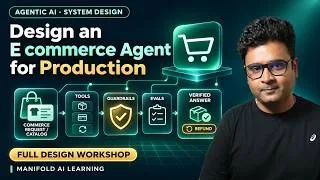
Free to watch · No loginSee it through a real example.
See the architecture and follow a practical agent build.
Before you beginA clear journey.
A clear journey.
A practical place to start.
What is the central focus?
Learn the concepts, create the architecture, build with AI and explain what shipped. You practise where each component fits, where it adds unnecessary complexity and what changes when the requirements change.
What will I build?
Five working applications: Decision & Triage Assistant, RAG Knowledge Copilot, Service Request Agent, Research Brief Studio and Support Operations Workspace. The integrated workspace is packaged and deployed; the final week reviews the portfolio and adapts a requirement.
Will I learn how to use Claude Code and Cursor?
Yes. Guided application builds cover workspace setup, giving an AI coding tool the right project context, breaking a design into implementation tasks, reviewing changes, debugging and testing behaviour. You can use Cursor or Claude Code as your build environment. Each build connects those skills to the architecture and the application you can explain.
Will we build reusable agent skills and team workflows?
Yes. Create a scoped SKILL.md for a recurring task, separate reusable procedure from project context, and keep guidance, examples and checks with the repository. Practise a repeatable workflow for planning, implementation, testing, human review and handover, then adapt it to a changed requirement.
How much coding will I do?
You use Cursor or Claude Code to implement the applications. The live teaching focuses on concepts, architecture, integrations, behaviour and technical reasoning. The optional Bonus Python Programming helps you explore and explain the Python code in more depth.
Which frameworks and services will we use?
LangChain and Qdrant for retrieval; LangGraph for controlled workflows; CrewAI for collaboration; HTTP APIs and tool calling for integrations; FastAPI, Streamlit, Docker and Google Cloud Run for the integrated application and deployment.
How do the six weeks fit together?
Build a different application in each of the first five weeks. Reuse the foundations as the architecture grows. Week six focuses on evaluation, changing requirements and explaining the five-application portfolio. Recordings and runnable checkpoints support practice between sessions.
When are the live sessions?
Opening Sunday, 10 January 2027. Sessions run Sat & Sun, 8:30–11:30 PM IST (10 AM–1 PM EST), across the six-week journey. Joining details are shared in your learner group.
What do I need to get started?
A laptop, permission to install the required tools and time to practise. Setup guidance covers the coding assistant, model API, vector database and cloud accounts used in the builds. Any tool subscriptions, API usage or hosting charges are paid directly to those providers.
What happens if I miss a session?
Watch the recording and use the runnable checkpoint to rejoin the next build. Bring your architecture or integration questions to the application workshop.
Is this included in Diamond?
Included for Diamond Membership and Diamond Founder members.
Where can I check the access policy?
Review the published terms and refund/access policy before enrolling. Our support team can help with existing access and schedule questions.
Create the architecture.
Build with AI. Explain what shipped.
The next cohort starts Sunday, 10 January 2027 — Saturdays and Sundays, 8:30–11:30 PM IST, with recordings included for every live session.
View the current enrolment price at checkout.
Enrol now and explore the optional Python Programming bonus — instant portal access, included with this intake.
Join the January Cohort →Not ready to enrol yet? Register for the free demo session first →

Your instructor · Founder, Manifold AI LearningExperience is your foundation.
Experience is your foundation.
Build what comes next.
I am Nachiketh. I help experienced technology professionals move beyond Agentic demos and build production-ready systems.
Systems ship. Demos don’t.Meet Nachiketh Murthy →